Quitto

Quote it. Sell it. Get paid.

Quitto is the simple way for self-employed people to price jobs, send quotes, record sales and get paid on time.

* Free, with an optional Quitto Plus

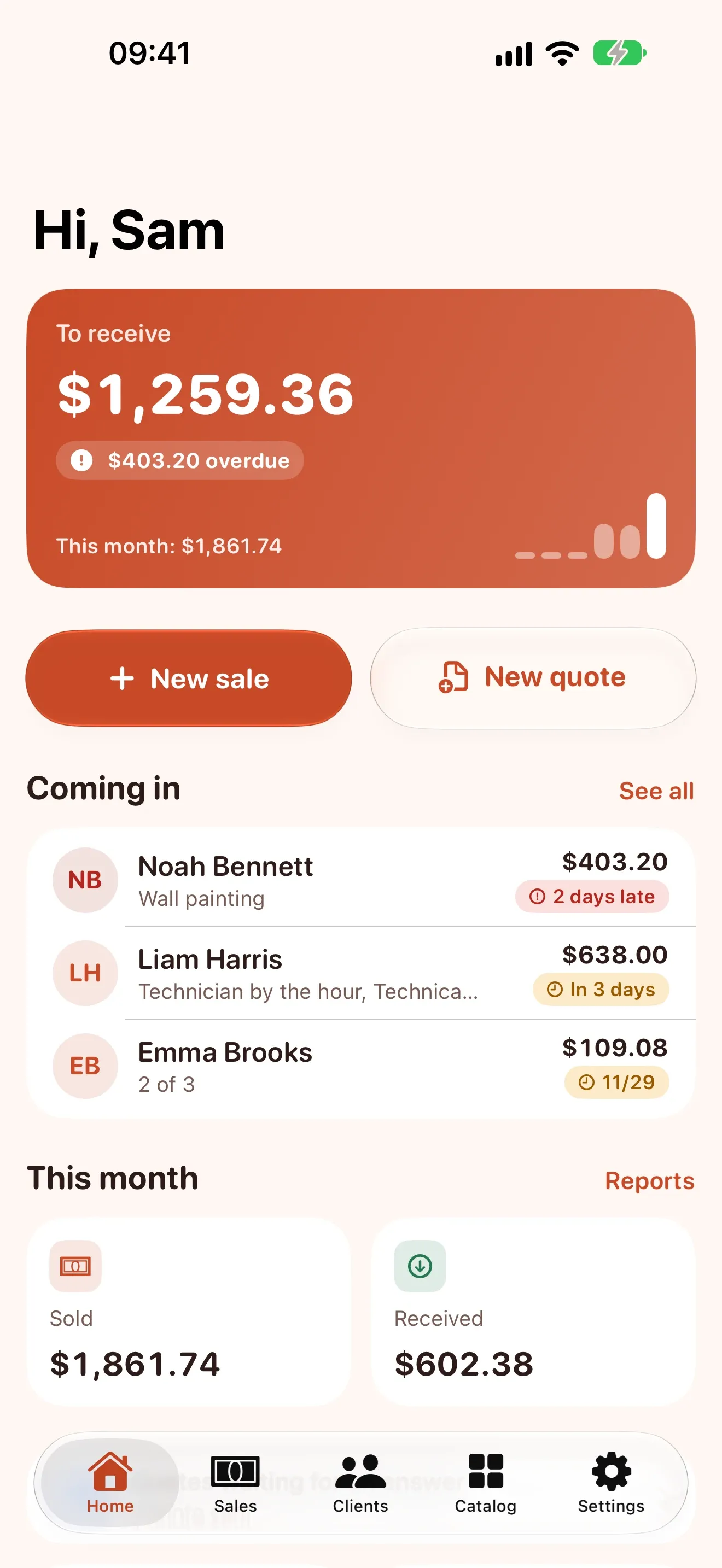
Home screen with money to receive, overdue amounts and upcoming payments
  • to put together a clear quote 1 min
  • free documents every month 15
  • accounts, ads or trackers 0

The office that fits in your pocket

From the first quote to the last installment, Quitto keeps the numbers straight so you can keep working.

  1. Prices that work themselves out

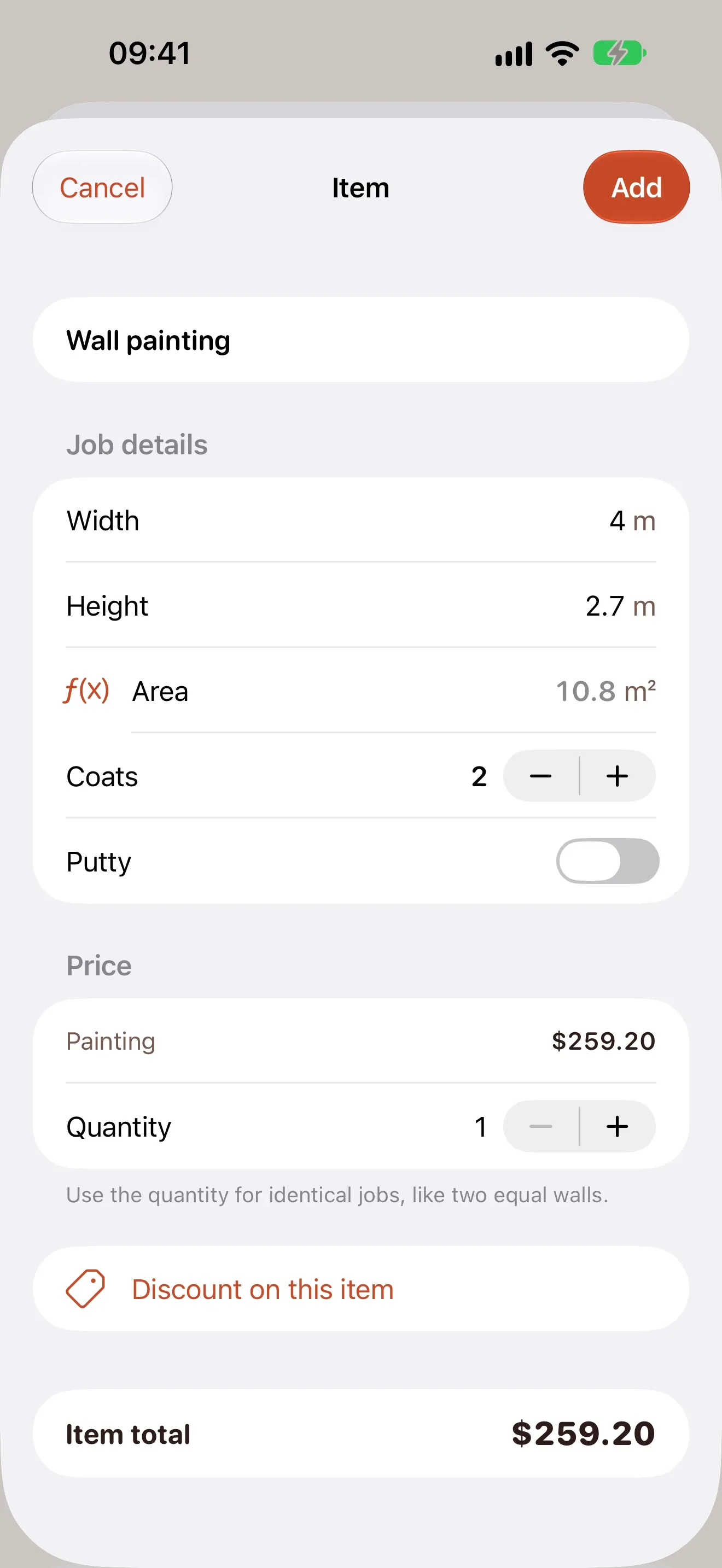
    Type the width and height of a wall and Quitto calculates the painting, coats and extras.

  2. Quotes that become sales

    A clear PDF with your logo, terms and validity. The client signs on your screen and one tap turns it into a sale.

  3. Installments and due days

    Paid now, later or in installments, with a down payment. See what each client owes and get reminders before the due day.

  4. A friendly nudge

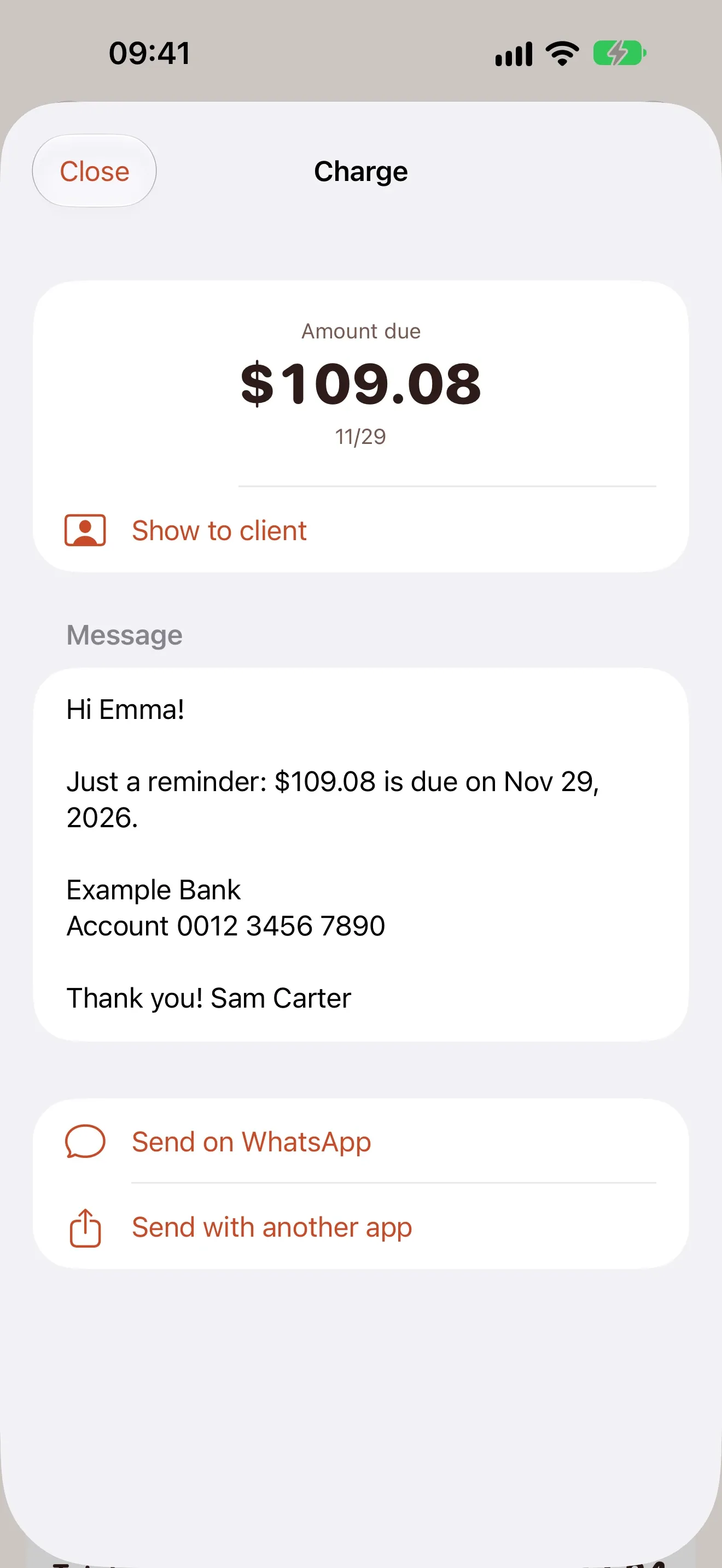
    Send a ready reminder with one tap, through WhatsApp or any other app.

  5. Documents with your look

    Receipts for every payment, sale documents and quotes in PDF, with your template, colors, font and logo.

  6. Your real profit

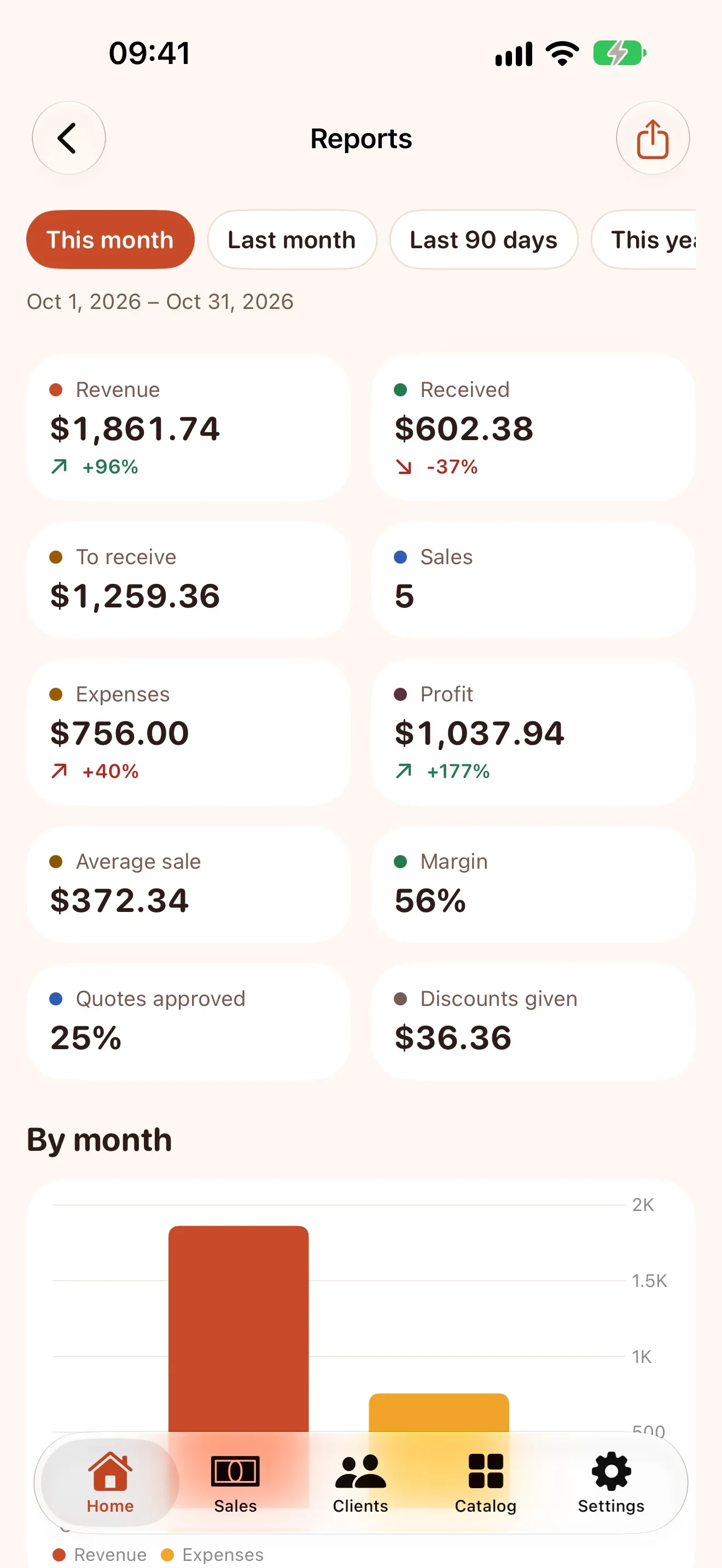
    Expenses, scanned receipts and stock, with revenue, profit, best sellers and top clients by month.

  7. Notes for your work

    Recipes, crochet charts, measures and how-tos next to your catalog, with photos, steps to tick and PDFs.

  8. Always at hand

    Widgets, Siri and Shortcuts, Control Center and iCloud sync, plus clients with their full history.

Prices that do the math

Ready-made formulas for painting, flooring, hourly work, delivery, electrical points, cleaning, lessons and sewing, or build your own.
  • Measures, quantities and extras in one item
  • Discounts, fees and travel in a tap
  • Your rates, your formulas, your price
Item screen calculating a wall painting from its size
4 m × 2.7 m = 10.8 m² × 2 × 12.00 $259.20
Width 4 m
Height 2.7 m
Coats 2
Price per m² 12.00

Turn the phone to your client

Show the amount, the due day and how to pay on one clear screen, then mark the payment as received right there.
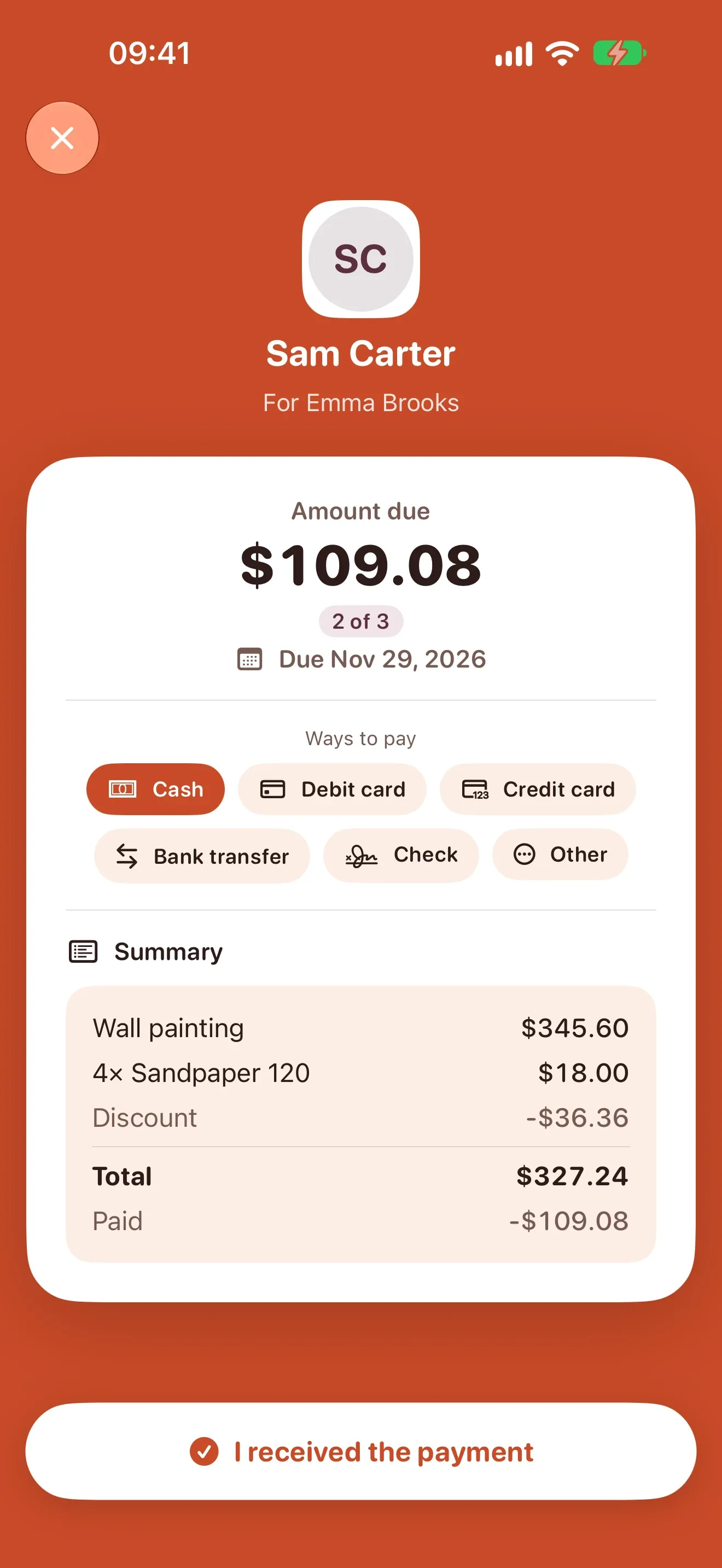
  1. Amount due, installment and due day up front
  2. Cash, card, bank transfer and other ways to pay
  3. Face ID before confirming a payment, if you want it
Friendly payment reminder ready to send
Client-facing screen with the amount due, installment, due day and ways to pay
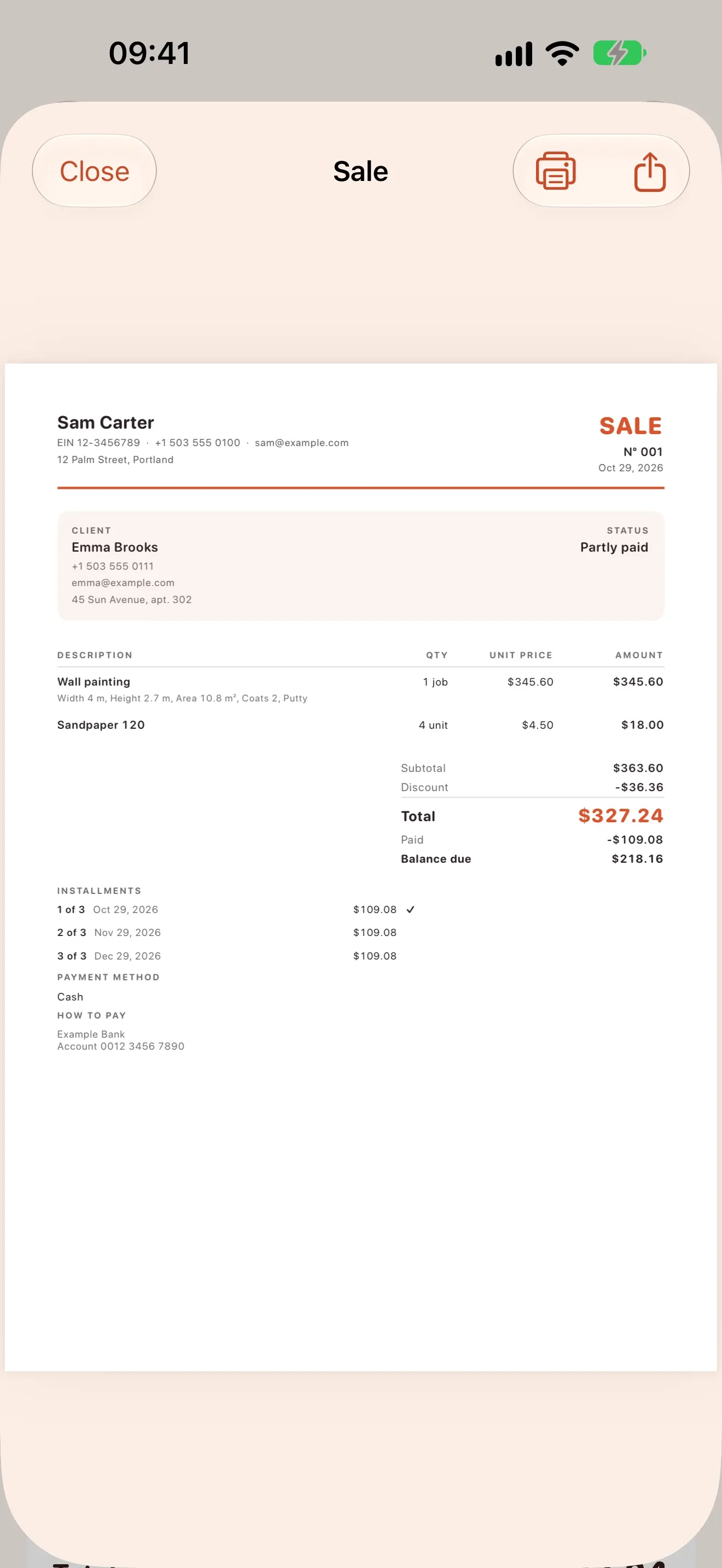
Sale document with subtotal, discount, total, installments and balance due

Documents with your look

Quotes, sales and receipts become branded PDFs, ready to share or print. Pick a template, colors, font and where your logo goes.

  • Every page matches your business
  • Client signature on your screen
  • Spreadsheets for your accountant

Made for people who are always on the move

  1. Home with money to receive and upcoming payments

    Home with money to receive and upcoming payments

  2. Wall painting priced from width, height and coats
    Wall painting priced from width, height and coats

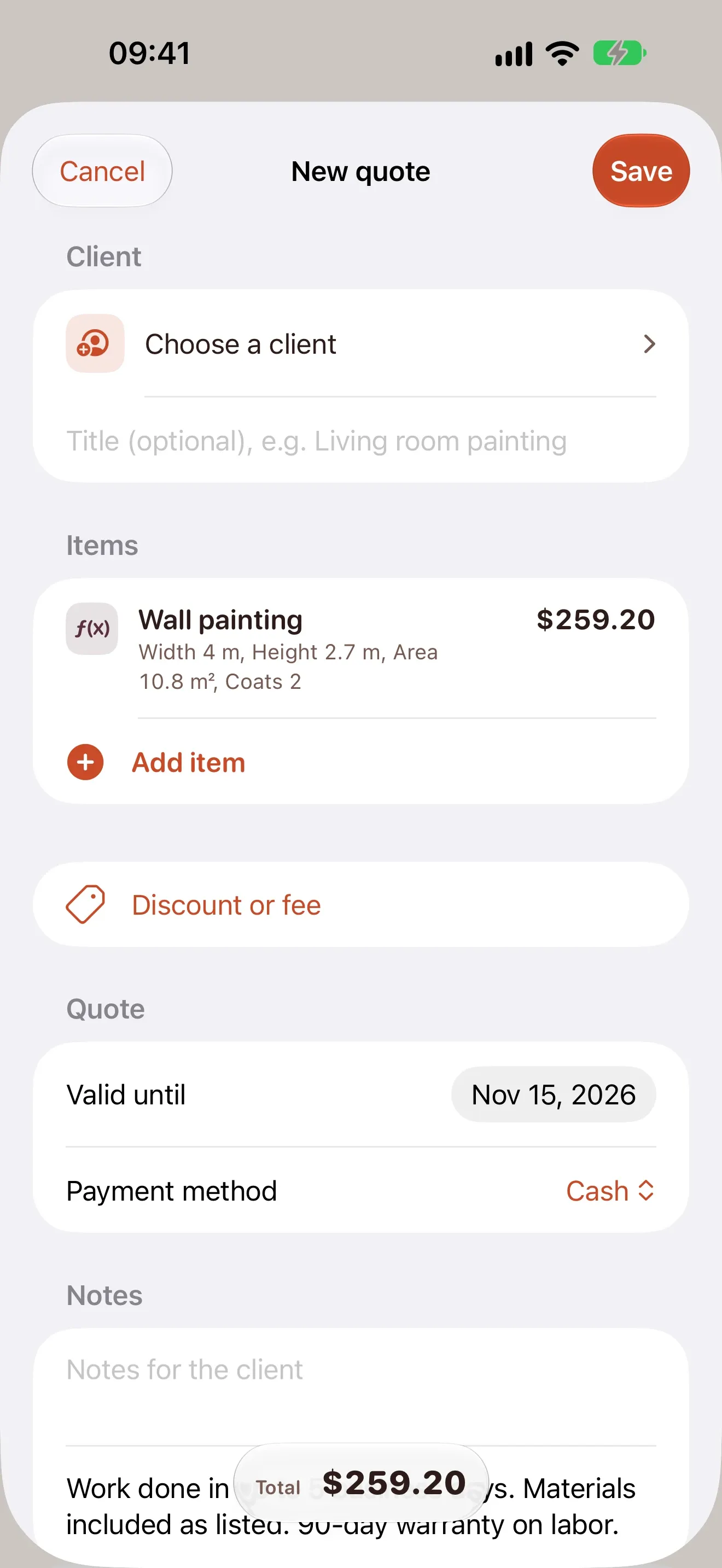
  3. New quote with a formula item

    New quote with a formula item

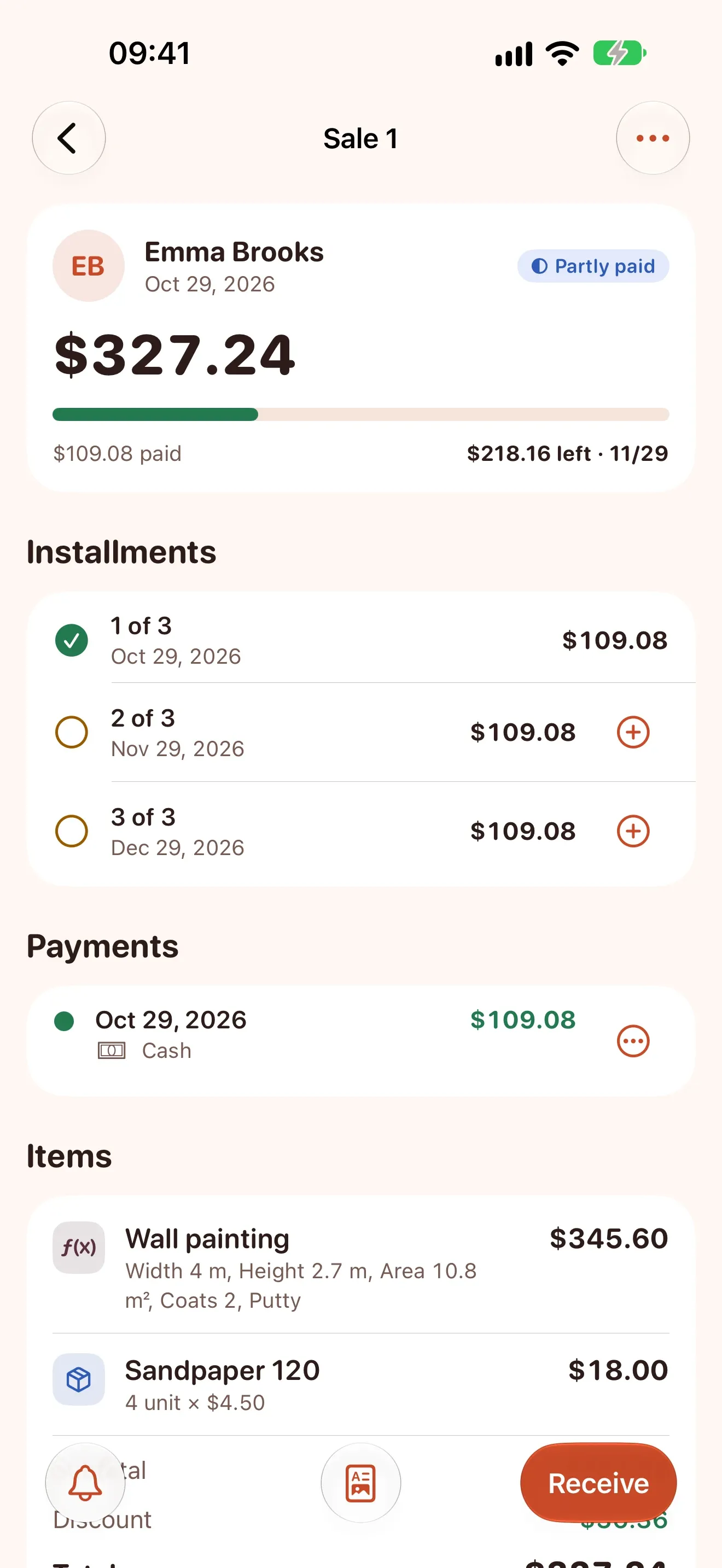
  4. Sale with installments and payments

    Sale with installments and payments

  5. Friendly payment reminder ready to send

    Friendly payment reminder ready to send

  6. Amount, due day and ways to pay shown to the client

    Amount, due day and ways to pay shown to the client

  7. Sale document as a branded PDF

    Sale document as a branded PDF

  8. Monthly reports with revenue and profit
    Monthly reports with revenue and profit

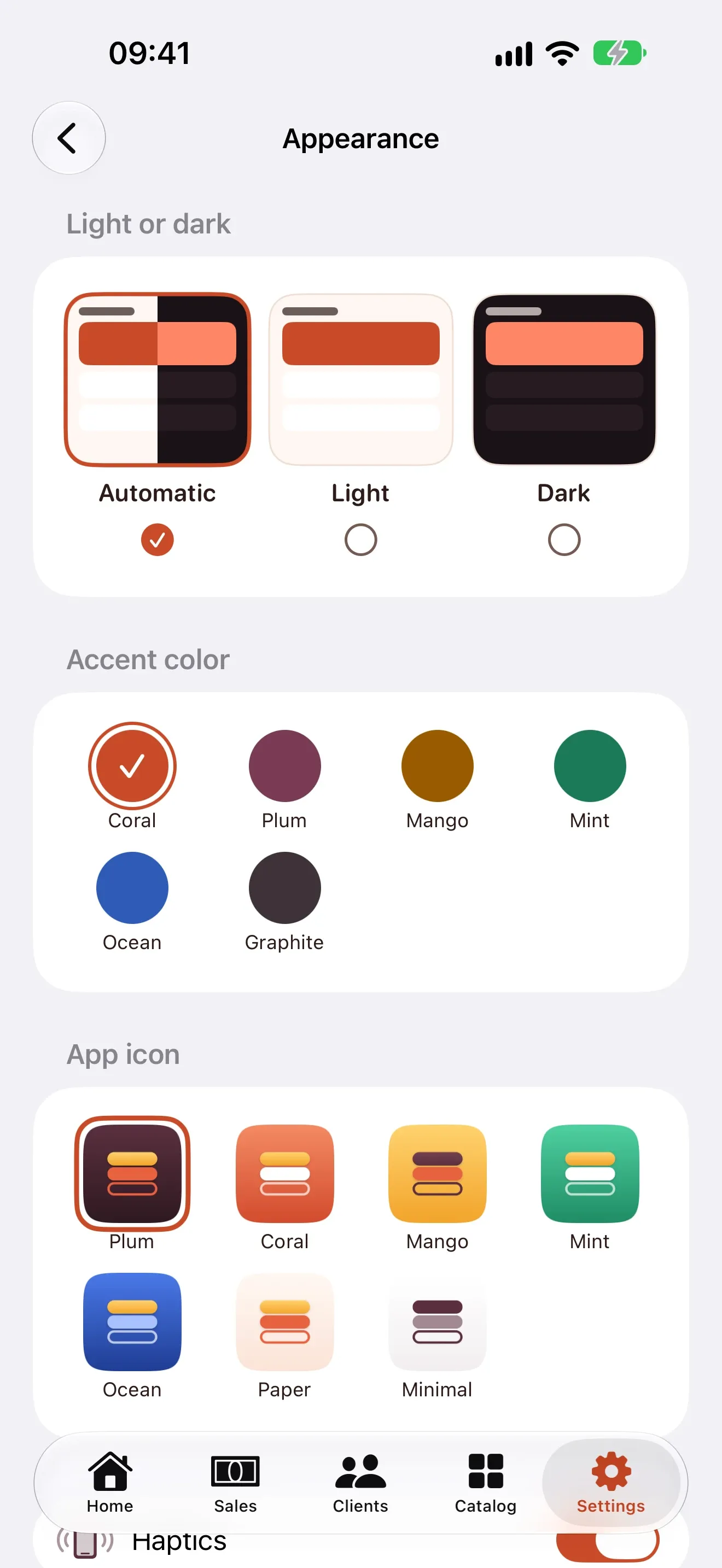
  9. Light or dark, accent colors and app icons

    Light or dark, accent colors and app icons

Start free. Grow with Plus.

Quitto

Free

  • 15 documents per month
  • Clients, catalog and formula templates
  • Reminders and backups

Quitto Plus

US$ 2.99 per month

Or US$ 19.99 per year, with a 7-day free trial.

  • Unlimited documents
  • Your brand on every PDF
  • Full reports and spreadsheet exports
  • Your own formulas, notes and customization

* Prices can change by country. Quotes and receipts made in Quitto are not official tax invoices.

Questions

  1. Does Quitto handle the money?

    No. Payments go straight from your client to you. Quitto keeps track of what was paid and what is still to come.

  2. Can I protect payment confirmations?

    Yes. Turn on Settings > Payments > Unlock to confirm payment and iOS checks your face or passcode first. Quitto only learns whether it worked.

  3. Where does my data live?

    On your iPhone and, if iCloud is on, in your private iCloud. There are no servers of ours.

  4. Can my accountant get the numbers?

    Yes. With Quitto Plus you can export spreadsheets and PDF reports.

Less paperwork, more paid work

Quitto arrives on the App Store soon.